Samsung Dishwasher Not Draining · 5C / 5E / SC / OC · Same Day Southern California
Samsung Dishwasher Not Draining: 5C, 5E, SC
5C, 5E, SC, and SE all mean 'can't drain.' Usually the filter, a pinched hose, the disposal, or air gap. Here's the order to check and when to call.
AI Diagnostic · free · about a minute
Dishwasher acting up?
Describe it in your own words — get the likely causes and a repair cost range before you book.
Our Branches
10 service territories across Southern California
01 · The short answer
Samsung won't drain? Filter, then the hose it's sitting on.
Standing water in a Samsung dishwasher shows as 5C, 5E, SC, or SE — all the same "can't drain" code — and almost always traces to a clogged filter and sump, a kinked or pinched drain hose (very often the dishwasher is literally sitting on its own hose), a disposal knockout plug after a new disposal, a blocked sink air gap, or a failed drain pump. The first four are safe to check yourself; the pump is where our techs take over. Start by cleaning the filter and checking that the hose isn't crushed behind the unit. $89 residential diagnostic, waived with repair.
Samsung dishwashers drain through the kitchen sink and, in most homes, the garbage disposal, so many "Samsung won't drain" calls our techs at Same Day Appliance Repair take turn out to be a packed filter or a pinched hose rather than a broken machine. Right order first.
02 · The codes
5C, 5E, SC, SE — and how OC is different.
5C, 5E, SC, and SE are one code: "the dishwasher can't drain." The characters differ only by display font — 5 and S look alike, and so do C and E — so don't read them as four separate faults. The fix is the drain path: clean the filter and sump, check the drain hose for a kink or pinch, clear the disposal and air gap, and pull the disposal knockout plug on a new install.
OC (or oE / 0C) is a different code. It's an over-level water fault — the unit senses more water than there should be, which a slow or partly blocked drain can cause. The checks overlap with the drain list, but OC is a water-level warning, not the "can't drain" code — so confirm the drain isn't just running slow.
03 · The causes, in order
Five causes, most common first.
1. Clogged filter and sump
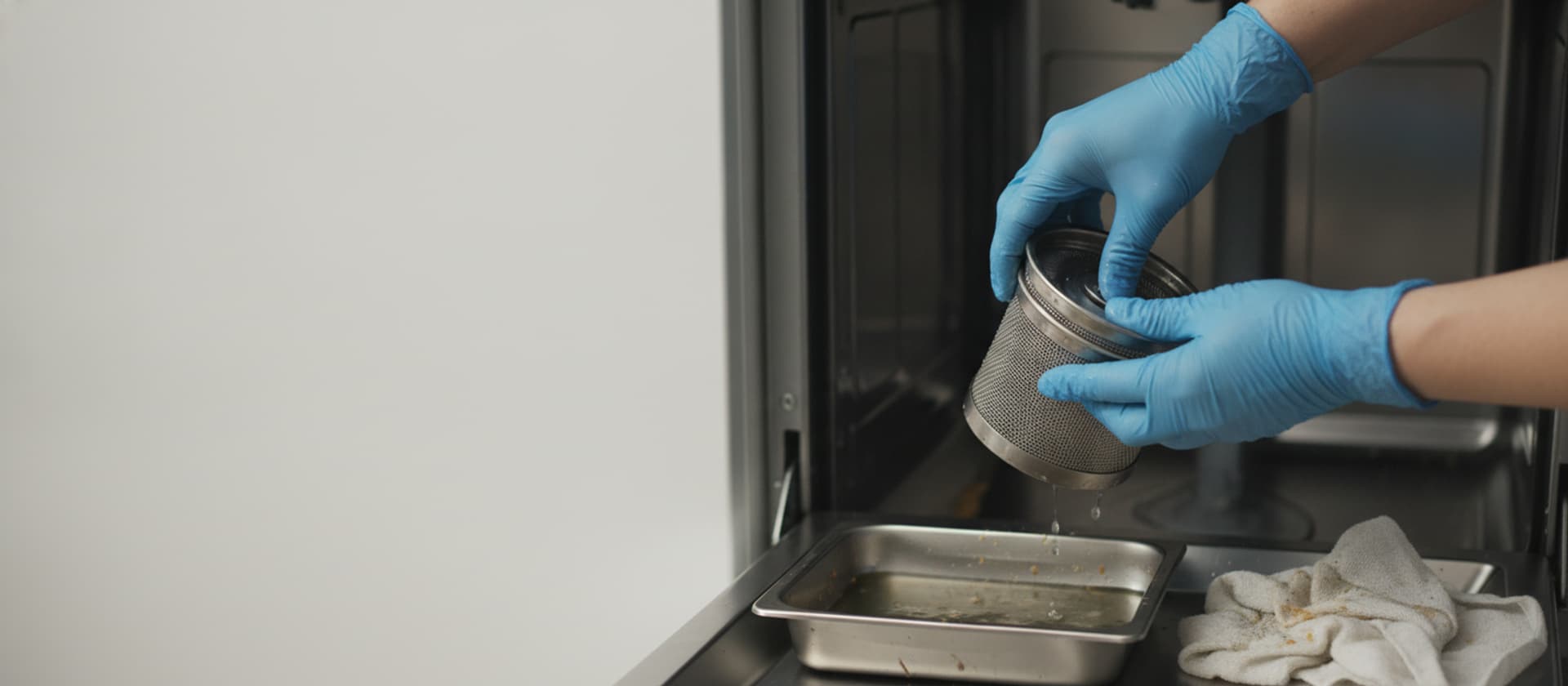
Food, labels, seeds, and glass grit collect in the filter and the sump below it. Even self-cleaning-filter models can trap debris in the sump. Twist out the filter, rinse it, clear the sump, and reseat it flat and locked.
2. Pinched or kinked drain hose
Samsung's most-cited cause: the dishwasher is sitting on its own drain hose, or the hose is kinked behind the cabinet. Check that it runs free and loops up high before dropping to the drain.
3. Disposal knockout plug (new install)
A new garbage disposal ships with a solid plug sealing the dishwasher drain port. If it wasn't punched out, the dishwasher can't drain — the answer when a Samsung stops draining right after disposal work.
4. Blocked air gap (common in California)
Many California kitchens use an air gap — the chrome cap on the counter — to meet the plumbing code's backflow rule. It clogs and backs water into the dishwasher. Clearing it is a two-minute fix.
5. Failed drain pump
When the whole path is clear and water still stands (or 5C returns), the drain pump has usually failed or its check valve is stuck. Needs a meter and a replacement part.
04 · What you can safely check
Five safe steps before you call.
- Scoop the standing water with a cup and sponge so you can reach the filter.
- Clean the filter and sump. Twist out the filter, rinse it, and clear debris from the sump — watch for broken glass.
- Free the drain hose. Check behind the unit that it isn't pinched under the dishwasher or kinked, and confirm the high loop.
- Run the garbage disposal with water, and if it's a new disposal, confirm the knockout plug was removed.
- Clear the air gap. Pop the chrome cap and clean it out. Use only dishwasher detergent, never dish soap.
Where to stop: filter, sump debris, hose, disposal, air gap, and a 30-second power-cycle are all safe. Don't remove the drain pump or open the control yourself, and mind the glass in the sump. If water still stands after these steps, it's the pump or the control — our job.
05 · When to call us
Clear path, still standing water? It's the pump.
Once the filter, hose, disposal, and air gap are verified clear and the tub still holds water (or 5C/SC keeps returning), the drain pump or its check valve is the likely fault, and that needs testing and a replacement part. Our techs at Same Day Appliance Repair carry the common Samsung drain pumps, so a confirmed failure is usually a one-visit fix. We check the upstream path first so we never swap a good pump that was fighting a clog, then quote before any work. $89 residential diagnostic, waived with the repair. Same-day across Los Angeles, Orange, and Ventura in most cases.
Related: the general dishwasher not draining page, the dishwasher error codes guide, and brand coverage on Samsung dishwasher repair. Full coverage on the dishwasher repair hub. Nearby: Beverly Hills, Pasadena. Book online or call (424) 325-0520.
06 · FAQ
Samsung dishwasher not draining: common questions.
Why is my Samsung dishwasher not draining?
On a Samsung the standing water almost always traces to a clogged filter and sump, a kinked or pinched drain hose (very often the dishwasher is simply sitting on its own hose), a disposal knockout plug left in after a new disposal, a blocked sink air gap, or a failed drain pump. The first four are homeowner-checkable; the pump is the tech job. Samsung signals a drain failure with 5C, 5E, SC, or SE — all the same 'can't drain' code, just shown in different display fonts. Start by cleaning the filter and checking the hose isn't crushed behind the unit. $89 residential diagnostic, waived with repair.
What do 5C, 5E, SC, and SE mean on a Samsung dishwasher?
They're all the same drain error — 'the dishwasher can't drain.' The characters differ only by display type: 5C and 5E on digital screens, SC and SE on alphanumeric ones (the 5 and the S look alike, as do the C and the E). Samsung's fix is the drain path — clean the filter and sump, check the drain hose for kinks or a pinch, clear the disposal and air gap, and remove the disposal knockout plug if it's a new install. Clear those first; if the code returns with everything clean, the drain pump is the likely fault.
What is the OC or oE code on a Samsung dishwasher?
OC (also shown as oE or 0C) is an over-level water code — there's more water in the tub than there should be. It's related to draining but distinct from the 5C 'can't drain' code: instead of no drainage, the unit is sensing too much water, which a slow drain or a partial blockage can cause. The checks overlap — filter, sump, drain hose, air gap — but if you see OC specifically, you're dealing with a water-level fault, and it's worth confirming the drain isn't just running slow.
Where is the filter on a Samsung dishwasher, and does it self-clean?
The filter sits in the floor of the tub, usually under the lower spray arm, and you twist it out to rinse it. It depends on the model whether it's a manual filter (you clean it) or a self-cleaning type — check yours. Even on self-cleaning models, debris like labels, seeds, or rice can collect in the sump and block the drain, so it's worth removing the filter, checking the sump for debris, and reseating the filter flat and locked. Watch for broken glass. Run a rinse cycle after.
How do I clear a Samsung dishwasher that won't drain?
Safe, in order: scoop out the standing water, twist out and rinse the filter and clear any debris in the sump, check the drain hose behind the unit for a kink or a pinch (Samsung's most common cause is the unit sitting on its own hose) and confirm the high loop, run the garbage disposal (a full one blocks the shared drain, and a new disposal may still have its knockout plug), and clear the sink air gap. Use only dishwasher detergent. Re-run a rinse cycle. If 5C/SC returns with everything clear, the drain pump needs testing — that's our job.
Samsung dishwasher still full of water? Call today.
$89 diagnostic waived with repair. Same-day across LA, OC, Ventura. Phones answered 24/7.